Daily focus
See the number that matters first.
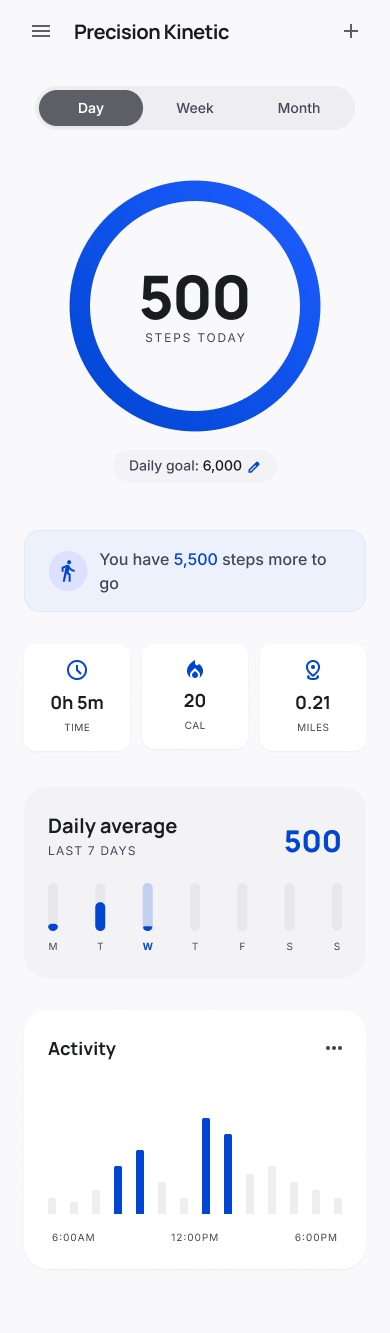
A clean progress ring shows steps today, remaining distance to goal, time, calories, and miles.
Daily movement, clearly measured
A focused step tracker for daily goals, manual activity logs, weekly momentum, and month-level movement trends.
Why it works
Anchor Step keeps the core step tracking loop close to the surface: check progress, understand consistency, add missing activity, and tune goals when habits change.
A clean progress ring shows steps today, remaining distance to goal, time, calories, and miles.
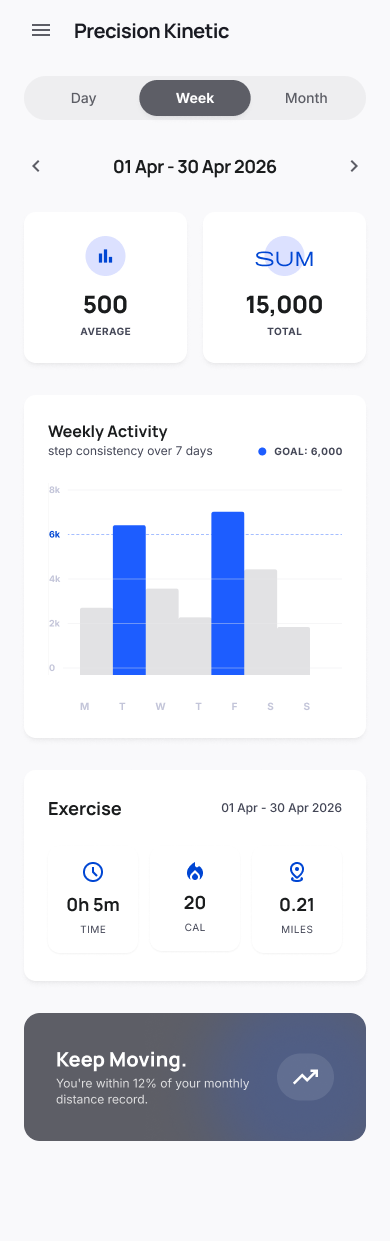
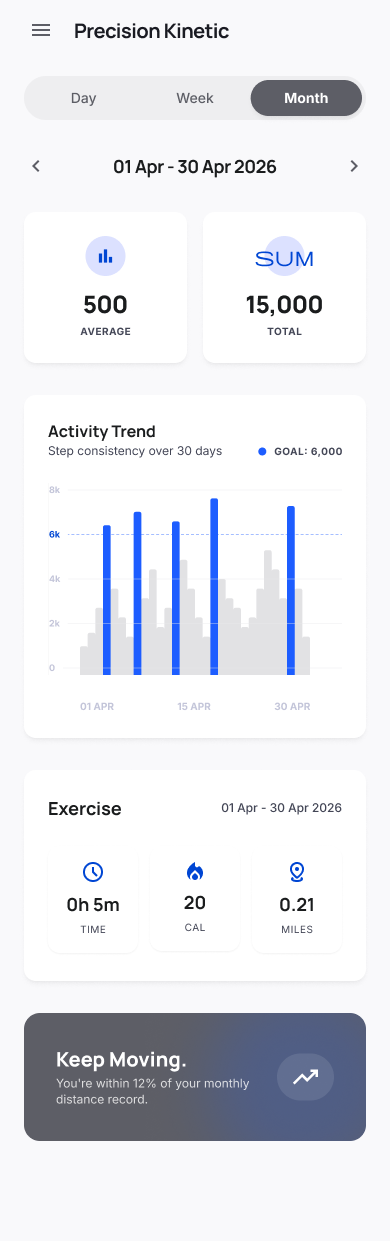
Simple bar charts make consistency visible, with goal markers that show when the day is on track.
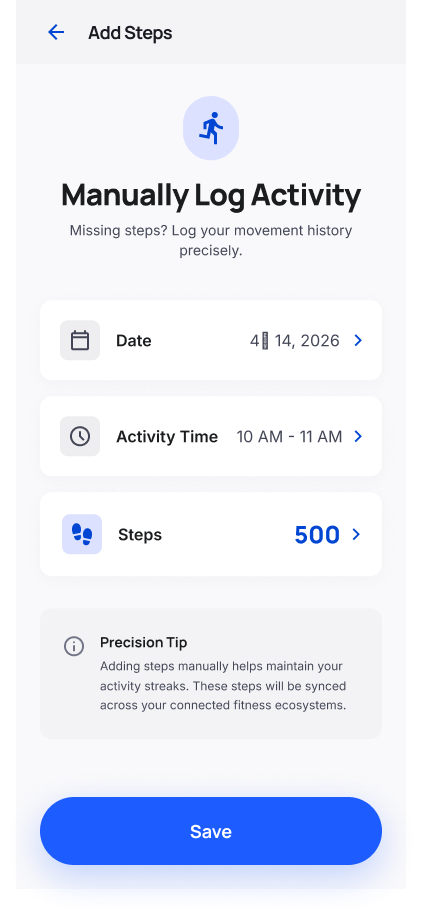
Add date, activity time, and steps when a walk or workout was not captured automatically.
Adjust weight, height, gender, step goal, and lockscreen overlay from a calm settings surface.
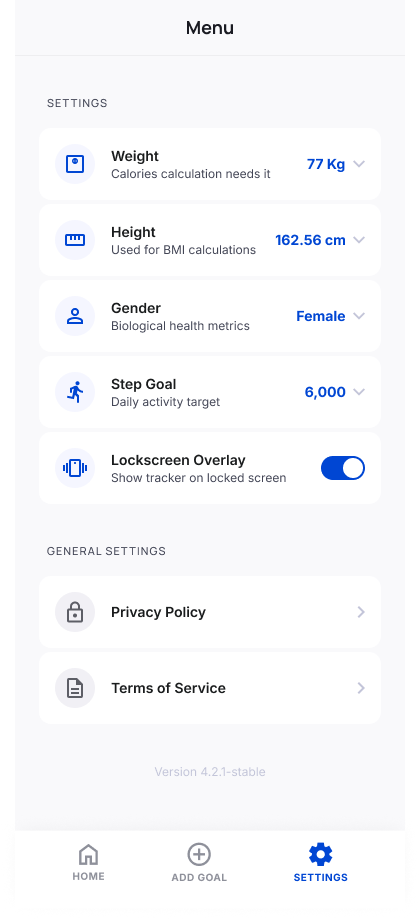
Interface tour
The product structure is intentionally short. Day view handles immediate progress, week and month views handle patterns, Add Steps handles corrections, and Settings handles long-term preferences.
A quick view for today: total steps, goal progress, time, calories, miles, daily average, and activity rhythm.
Core flow
Open Anchor Step and see the step count, progress ring, and remaining distance to goal immediately.
Use weekly and monthly charts to spot active days, quiet days, and patterns worth improving.
Add missed steps manually so the history reflects the movement that actually happened.
Privacy and control
Anchor Step keeps account, profile, step goal, and legal access points easy to find. The official site mirrors that clarity with direct privacy and terms pages.
Anchor Step
Track the daily count, study longer trends, and keep missed movement from disappearing from the record.